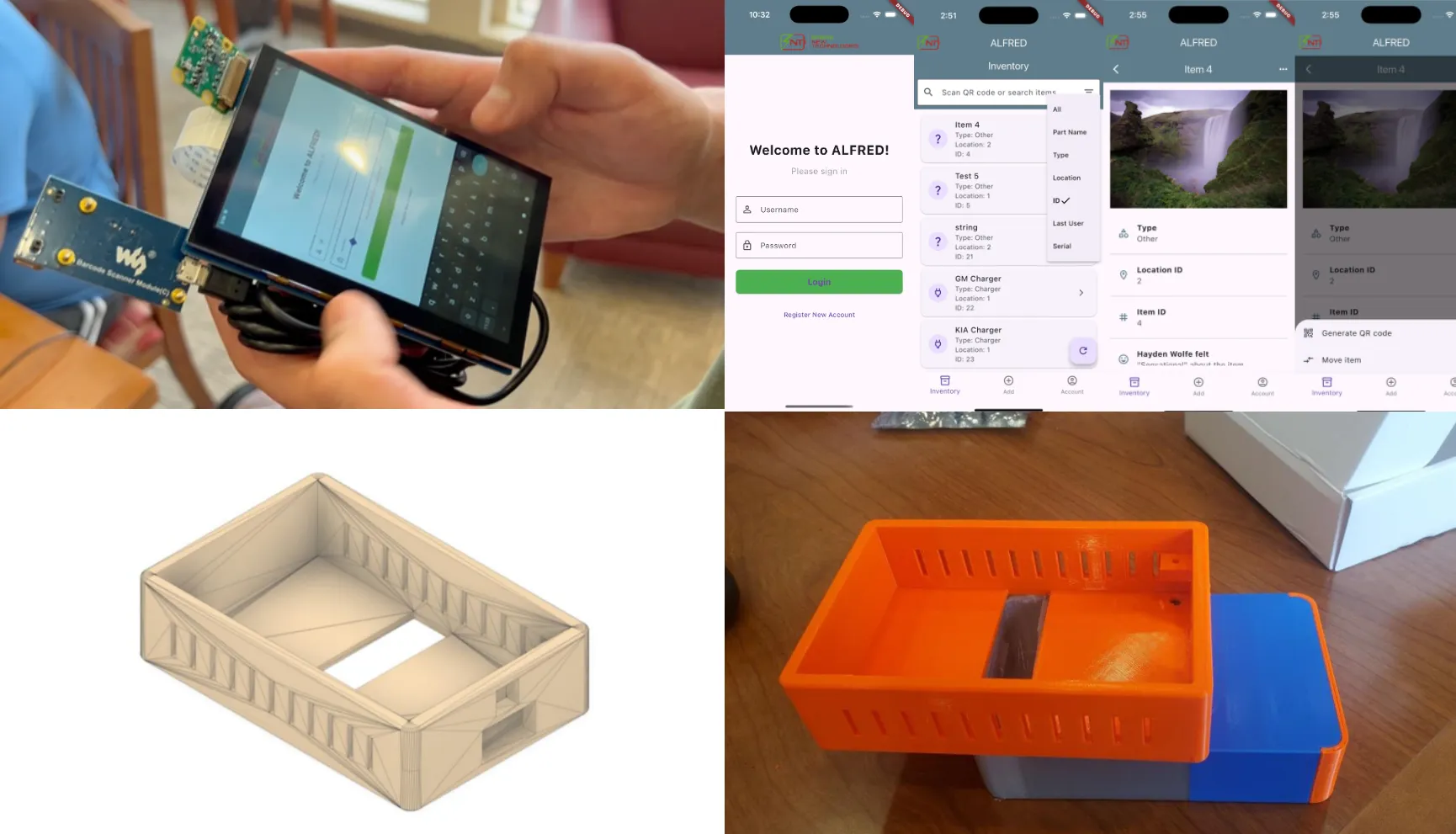
The Project:
Our Capstone group was assigned the project of updating the tech-stack / workflow of Spier’s New Technologies’ warehouse. Specifically, we were tasked with building a new database, migrating a sample of current data, implementing a frontend app with tiered levels of access, adding scanning and label-making features to the app, and packaging the frontend app and scanning hardware in one handheld, application specific device.
Planning our solution:
Our first order of business was deciding team roles. I was fortunate to be grouped with three other ECE students who I had become close friends with over our time in undergrad. We decided to assign roles based on the project’s needs and our individual expertises/preferences. I served as the Project Manager and Software Developer, with an emphasis on frontend development and integration. Other roles were Backend Developer / Database Admin, Hardware Engineer, and Mechanical Engineer.
Before diving into our respective roles, we met to discuss the project and create a clear vision for the end product. Envisioning how the perfect device would look, feel, and behave was a critical step in allowing us to reverse engineer what we believed would be the ideal device for the company’s needs.
After a few brainstorming sessions, we’d successfully constructed an idea for a handheld with a camera and barcode scanner running a Flutter front-end on a stripped down Android kernel, housed in a custom CAD case with storage for adding or removing battery packs. Our vision surpassed our lofty goals and would, hopefully, surpass the expectations of the project’s supervisors.
Team Management
To keep the team on track and practice industry standards, we decided to use Jira, Atlassian’s project management and collaboration software. Using Jira would allow us to easily report progress updates, share resources/documentation, and remain in sync as a team.
Additionally, I suggested that we meet for a brief 15 minute meeting at the beginning of each week to share our individual progress and report our individual plan for the current week. The team agreed. This allowed us to check progress, create ideas, and share expertise when needed, maximizing our work’s quality and efficiency.
Designing the Frontend
Immediately, a teammate and I got to work on the software. While he laid the foundation for the database and API using AWS S3 and FastAPI, I began work on the frontend.
I’d ported Flutter frontends to low-power Linux systems before, so I knew Flutter would be a great choice for creating this project’s front-facing software experience. While React Native offers similar capabilities in terms of aesthetics and integration with external APIs, I found Flutter have great performance and portability on low-power devices.
I began with generating simple login, search, and account landing pages:
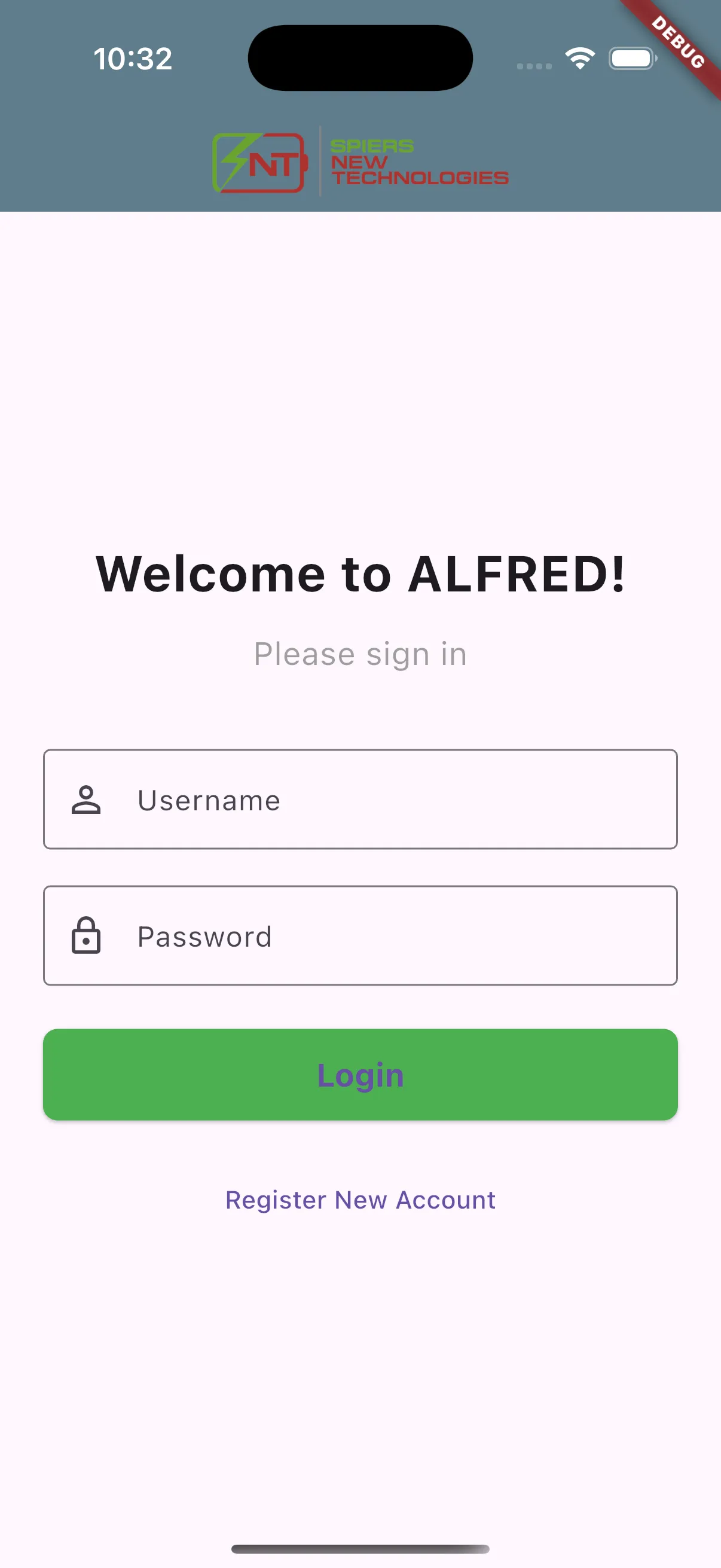
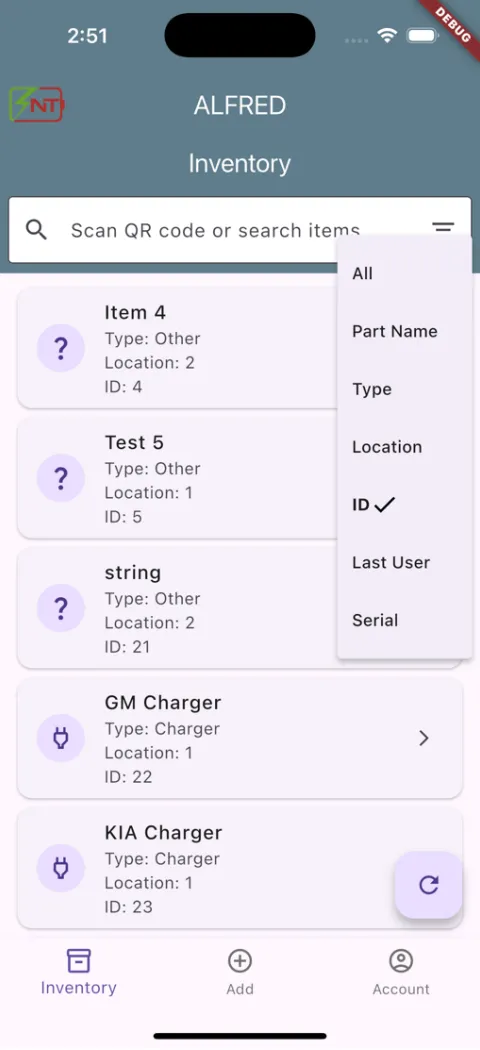
After the skeletons for these pages were laid out, I worked with our backend engineer to connect the login and inventory logic to our app’s frontend.
QR Generator / Lookup
With the inventory backend architecture mapped, the next step was to solidify the item lookup and interaction features. I worked in step with our backend engineer to add new GETs and POSTs to our backend that allowed fun and useful features on each items’ page, such as the QR Generator, list lookup, and image posting:
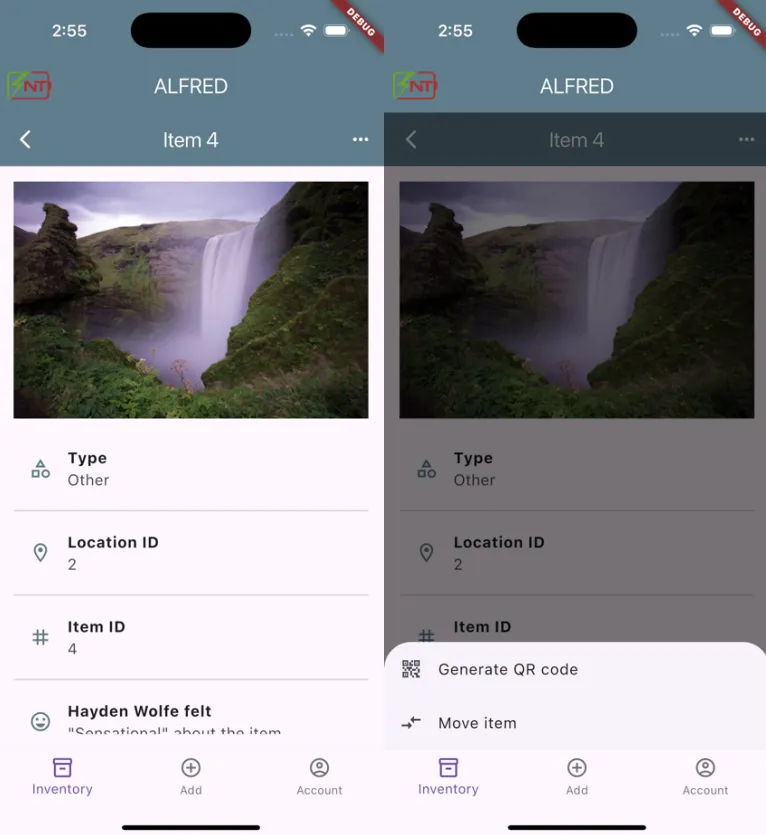
From here, the rest of the frontend design involved bolstering the app’s flow and squashing visual bugs. We also included some fun animations and a “Mad Libs” feature, which allowed the user to describe how they felt about each item or action.
Porting the App
Our project constraints defined that we weren’t to simply develop a mobile app for Android or iOS devices. So, we tweaked a build of LineageOS that allowed us to run a customized, stripped-down version of Android on a Raspberry Pi.
This customized OS launched our frontend app in a “kiosk” mode at launch, preventing the user from using most of the Android features without entering a development mode in our app and entering admin credentials.
Demo
With the embedded port complete, we filmed this brief demo of our prototype to demonstrate the user login, inventory add, and item lookup capabilities: